
Alice Averlong🏳️⚧️
foone@digipres.club
so I need to install DOS, windows 3.1, Print Shop Deluxe III, and a printer driver onto this Pentium II laptop.
Difficulty: The system has a dead CD-ROM drive. It does have a floppy drive, however... but that's a lot to move via floppy.
It's a win98-era laptop. It has USB, serial, parallel, PS/2, dual PCMCIA slots, floppy, DVD (broken), and a docking connector.
So now my challenge is: How do I get this software onto the machine without having to slowly write something like 10 floppy disks?
 6
6
 0
0
 0
0
Alice Averlong🏳️⚧️
foone@digipres.clubI don't know if there's any software I could install that'd let me use the USB ports.
well, any software short of Win98. I'd love to have win98 on here, but HOW DO IT GET IT OVER THERE?
2
0
0
Alice Averlong🏳️⚧️
foone@digipres.clubso probably I copy over something that'll let me null-modem the serial to my main laptop
1
0
0
Alice Averlong🏳️⚧️
foone@digipres.clubif I had access to my PCMCIA cards I could plug in an ethernet card and network stuff over.
but I don't
2
0
0

Alice Averlong🏳️⚧️
foone@digipres.club@moftasa it can't boot off USB, so I'd need to move something via floppy that can talk USB
0
0
0

Peter Jakobs ⛵
pjakobs@mastodon.green@foone I wonder if 10 diskettes are really slower than a USB 1 CDROM
1
0
0

Kewlio: gideo vames?!
kewliomzx@kind.social@foone Shot in the dark, but would Plop Boot Manager work? I think it might be possible to chainload USB with it.
1
0
0
Alice Averlong🏳️⚧️
foone@digipres.club@kewliomzx I don't think so, because the BIOS doesn't know how to talk to a USB storage device at all. and I think plop would just be able to chainload to any device the BIOS can talk to
0
0
0
tecteun
tecteun@mastodon.social@foone can't you just take out the hdd and dd an image?
1
0
0
Alice Averlong🏳️⚧️
foone@digipres.club@tecteun don't have the correct adapters handy, it's using a 44pin IDE hard drive
0
0
0
Alice Averlong🏳️⚧️
foone@digipres.clubI'll have to switch to one of my many other USB floppy drives.
1
0
0

emily, professional edge case
emily@fedi.uni.horse@foone usb device on computer A that emulates a ps/2 keyboard for computer B, stream keystrokes to it to type all the files into a hex editor
1
0
0
Alice Averlong🏳️⚧️
foone@digipres.clubSO FUN FACT: if you let this machine spin down the hard drive (which it'll do as soon as there's 5 minutes of no activity), it can't spin it back up!
1
0
0
Alice Averlong🏳️⚧️
foone@digipres.clubso if you get delayed providing the requested Disk 2 of DOS 6.22 because your USB drive died, and it has to wait for over 5 minutes... the drive will spin down and not come back up.
so the installer will read the files off the drive and then completely fail to write them to the disk! and you have to start over again!
1
0
0
Alice Averlong🏳️⚧️
foone@digipres.clubI fixed this setting in the BIOS but the CMOS battery is dead which means if you leave it powered off for more than like 30 seconds, it resets all the values and turns it back on for you
1
0
0

Keith Wansbrough
kw217@mathstodon.xyz@foone only ten disks? Tell me you've never installed Microsoft Office from floppies without telling me, etc :-)
2
0
0
Alice Averlong🏳️⚧️
foone@digipres.club@kw217 I have been looking for a copy of that office installer, I'd love to do it, maybe on video?
I'm just annoyed with doing lots of disks because this laptop has a very slow floppy drive
0
0
0
Keith Wansbrough
kw217@mathstodon.xyz@foone CDROMs were a *massive* advance for software installation
0
0
0
Alice Averlong🏳️⚧️
foone@digipres.clubI finally finished installing DOS 6.22 onto it
and then the hard drive failed
2
0
0

Alice Averlong🏳️⚧️
foone@digipres.club@Tamber that's the only kind of computer I work with, yeah
0
0
0
Alice Averlong🏳️⚧️
foone@digipres.clubalice! hey alice.
future alice listen to me: when you do set up the CF to 44pin thing, partition and format it using the DOS disk in the laptop, then remove it again connect it to your laptop and just copy over windows 98 or whatever. don't deal with serial or floppies
1
0
0

Alice Averlong🏳️⚧️
foone@digipres.club@miifox that'd work, if I could get my hands on my PCMCIA cards, but I don't have an easy way to write to it on the other end. my thinkpad doesn't exactly have a PCMCIA/cardbus slot anymore
1
0
0

Alice Averlong🏳️⚧️
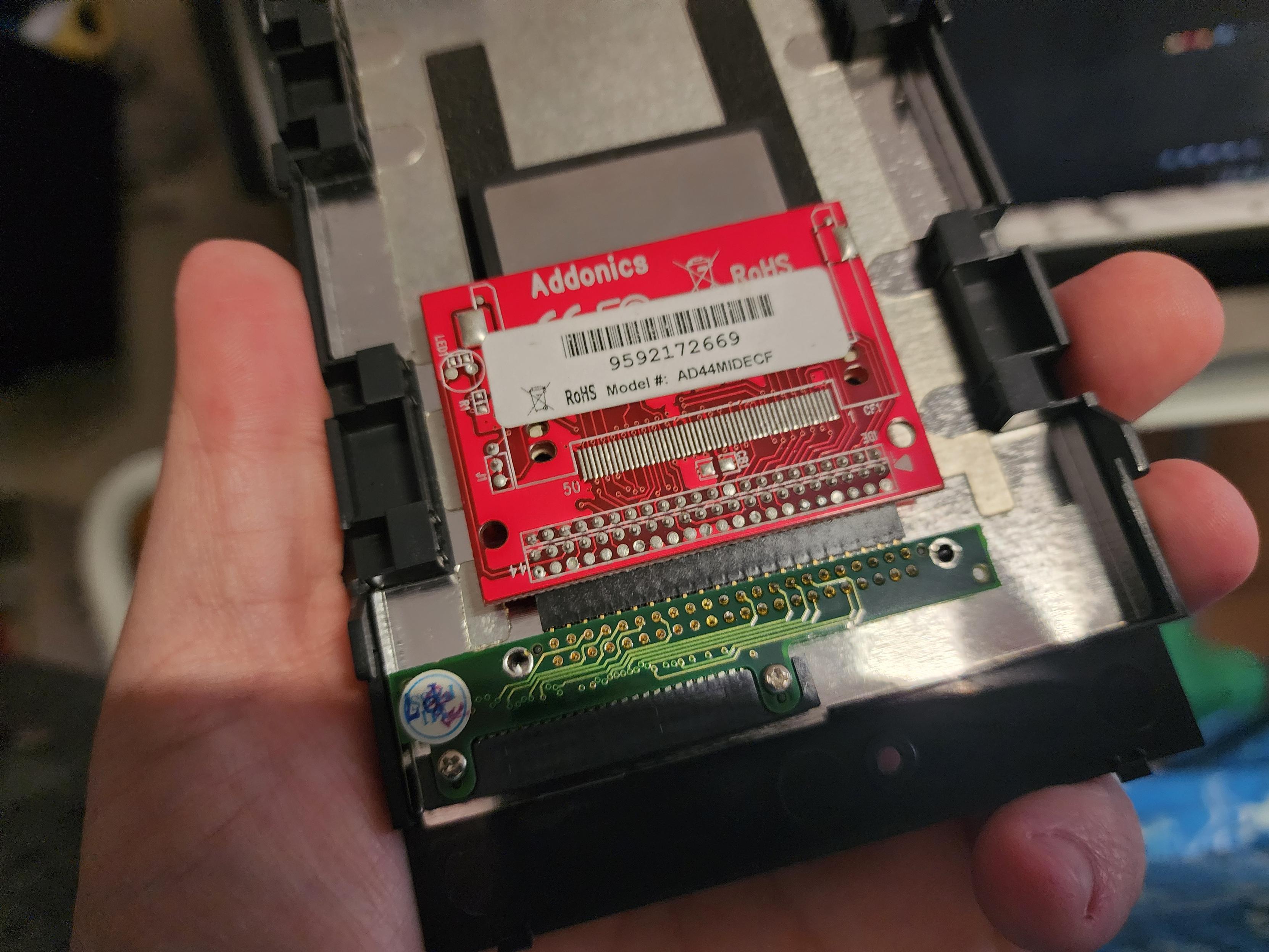
foone@digipres.clubSo I got the 44pin to IDE adapter, stuck a CF card in it, and shoved it in the drive sled.
 2
0
0
2
0
0

Alice Averlong🏳️⚧️
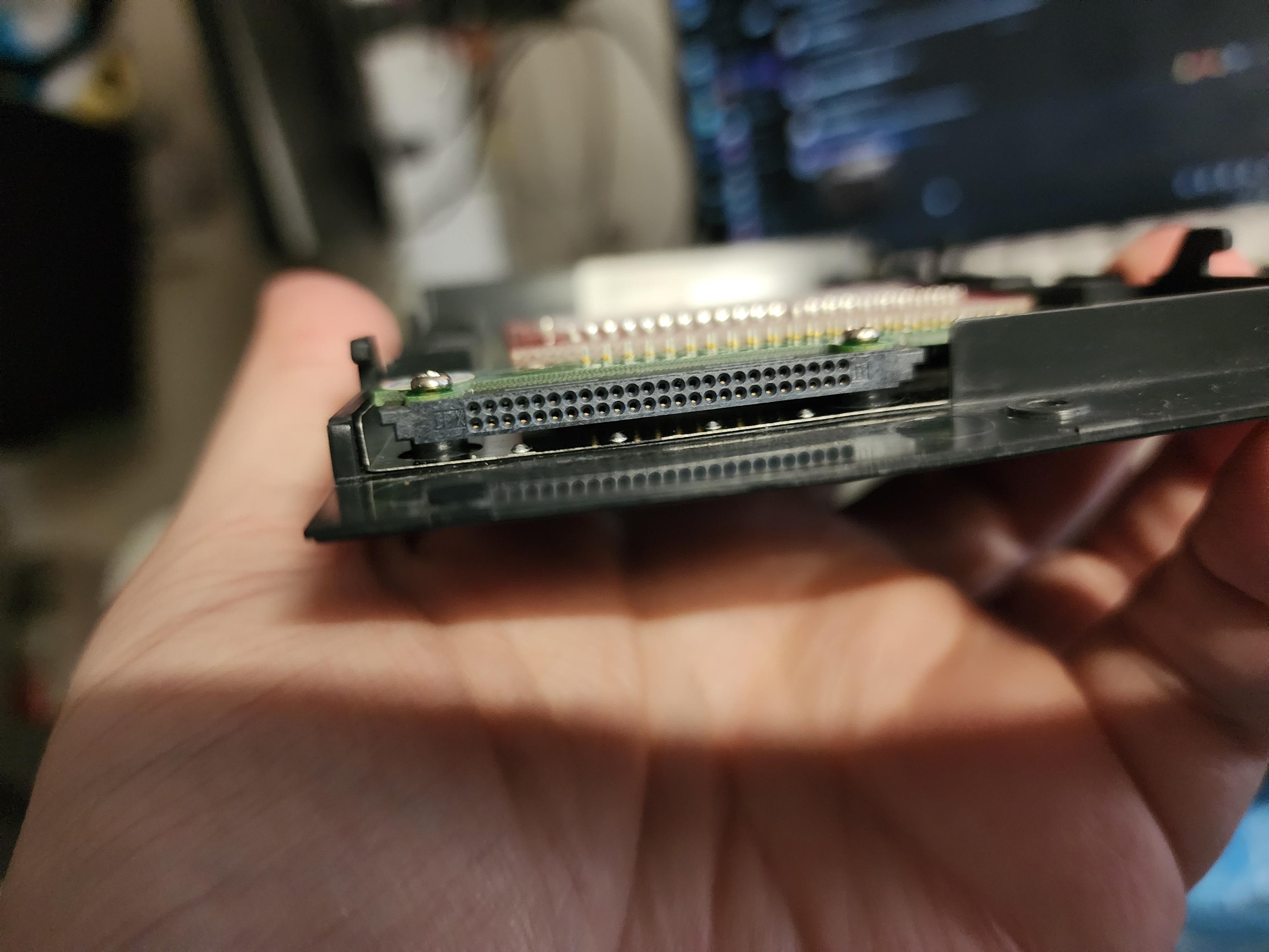
foone@digipres.clubso back in the pre-sata, pre-m.2 era, laptops usually used 44-pin IDE, which is a terrible connector. So to fix this, they'd have a little adapter in the drive sled that'd adapt 44pin-IDE to some more sturdy connector.
This laptop seems to have used the CompactFlash adapter for that connector
2
0
0
Alice Averlong🏳️⚧️
foone@digipres.clubwhich frankly makes so much sense that I'm amazed I've never seen another laptop do it. the CF connector is designed to be compatible with IDE! why didn't every laptop do this?
Also, I'm adapting a CF card to IDE44, and the drive sled PCB seems to be adapting it right back to CF. Can I skip the adapters and just plug the CF card into the laptop directly?
1
0
0
Alice Averlong🏳️⚧️
foone@digipres.clubNOPE!
It's physically but not electrically compatible with CompactFlash!
1
0
0
Alice Averlong🏳️⚧️
foone@digipres.clubthe moral of the story is that when something about computers seems too good to be true, it probably isn't true.
Computers never make THAT much sense
1
0
0

evilstevie
evilstevie@mastod1.ddns.net@foone why am I getting iPod vibes from this? wasn't this an upgrade path for the iPod video generation from spinny-disks to solid-state?
1
0
0
Alice Averlong🏳️⚧️
foone@digipres.club@evilstevie some of the ipods (the Minis, I think?) used tiny hard drives with a CF connector. Upgrading them to a real CF card was a common upgrade path
0
0
0
Alice Averlong🏳️⚧️
foone@digipres.clubgod, as good as CF cards are for old IDE computers, I hate using them.
There are SO MANY old BIOSes that will just not boot from them unless everything is exactly perfect and what that means varies
Like, right now I have a 1gb drive in there. I partitioned it, set the partition as active, SYS'd it, copied over all the DOS files, and rebooted.
It won't boot. it just hangs at the POST
2
0
0
Alice Averlong🏳️⚧️
foone@digipres.clublike if I use a boot disk, the drive is fully accessible and I can put files on it all day
can I boot from it?
NO
1
0
0
Alice Averlong🏳️⚧️
foone@digipres.clubmaybe I forgot fdisk /mbr? maybe I need to use small partitions?
things to try.
1
0
0
Alice Averlong🏳️⚧️
foone@digipres.clubI always partition and format the disk on the target machine, because formatting it elsewhere VERY often leads to problems.
but even doing that here didn't help
2
0
0

Mx. Aria Stewart
aredridel@kolektiva.social@foone I love that CF is basically just PATA/IDE with a better connector. Plus a few tweaks of course.
1
0
0
Alice Averlong🏳️⚧️
foone@digipres.clubfor extra annoyance, this machine has a floppy drive that only usually works.
It's an LS-120 superdrive emulating a real floppy through some horrible magic. And it only mostly works. sometimes I boot it and it just fails to read the disk
1
0
0
Alice Averlong🏳️⚧️
foone@digipres.club"but alice, surely you have plenty of replacement floppy drives!"
I DO. except I need the proper drivesled for this late-90s laptop, and the one I've got is only for the LS-120, it won't take a laptop-style 3.5" slim floppy drive. different connectors.
1
0
0

Remiberry
Remiberry@donotsta.reI've always had trouble with these 🫠
1
0
0
Alice Averlong🏳️⚧️
foone@digipres.club@Remiberry it's possible, but I don't know that this BIOS can tell the difference
0
0
0
Alice Averlong🏳️⚧️
foone@digipres.clubokay, repartitioned with a 500mb partition instead of 955mb, fdisk/mbr'd.
WILL IT BOOT? cross you fingers
1
0
0
Alice Averlong🏳️⚧️
foone@digipres.clubIT BOOTS!
Now I can yank the CF card out and load some install files onto it. Hmm. Win95 or Win98? Win98 was the original OS for this thing, so it'll have drivers... but Win95 is more fun
1
0
0


Alice Averlong🏳️⚧️
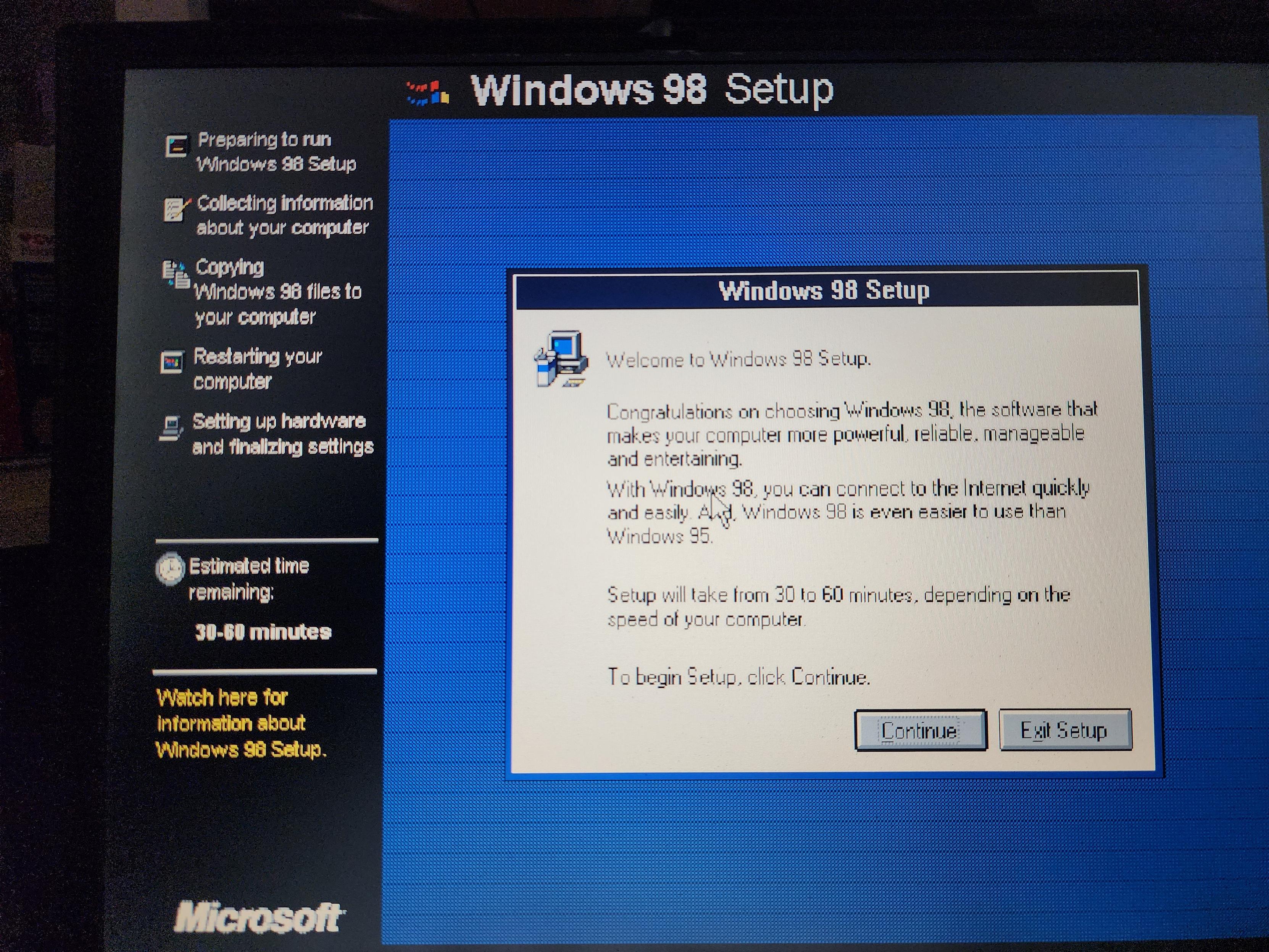
foone@digipres.clubIt has been located. Windows 98 install files are being copied now
2
0
0

Alice Averlong🏳️⚧️
foone@digipres.club@philpem nah. It was in my former office, and my roommate had borrowed it from where I left it
0
0
0
Alice Averlong🏳️⚧️
foone@digipres.clubugh I I've tried multiple serial numbers and none work. I specifically need one for Windows 98 Second Edition, Retail. This is apparently a rare version and all the serials for the OEM SE, SE upgrade, OEM first edition, and retail first edition don't work
1
0
0

Alice Averlong🏳️⚧️
foone@digipres.club@TheServitor this thing was made by an american company, so I assume imperial ass
0
0
0
Alice Averlong🏳️⚧️
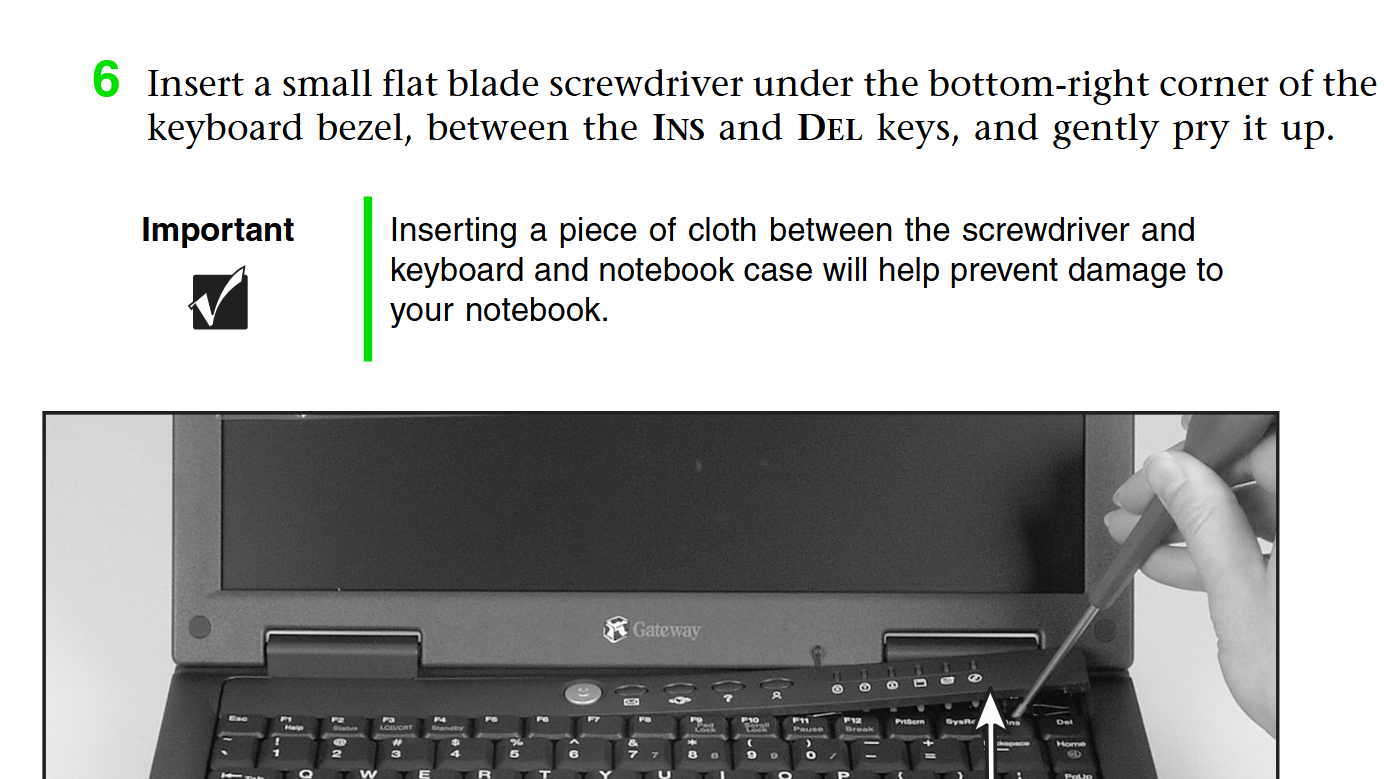
foone@digipres.clubit's installing. In the meantime I'm trying and failing to find a service manual for the Gateway Solo 2500, because I'd love to yank out this broken optical drive, but unlike the floppy & hard drive, it's not easily swappable. I think I need to remove the keyboard first? laptops are a lot of "fun" to repair
1
0
0
Alice Averlong🏳️⚧️
foone@digipres.clubI'm doing the Fun thing where I find the closest model that does have a service manual (or at least an optical drive installation guide) and hoping it's similar.
And yep, step one: yank the keyboard out by jabbing a thin screwdriver into it
 1
0
0
1
0
0

Jamie Booth
jamie@boothcomputing.socialOld BIOSes:
Tell me how many cylinders are in your CF card....tell me?!?
Btw, I'mma going to need the heads and sectors per track as well....
1
0
0
Alice Averlong🏳️⚧️
foone@digipres.club@jamie a trick I've done with that before is to use IDEINFO:
https://archive.org/details/msdos_IDEINF_shareware
because even if your BIOS doesn't support querying the IDE parameters, you can just run a program that knows how to do that, and then write down the values it spits out
0
0
0
Alice Averlong🏳️⚧️
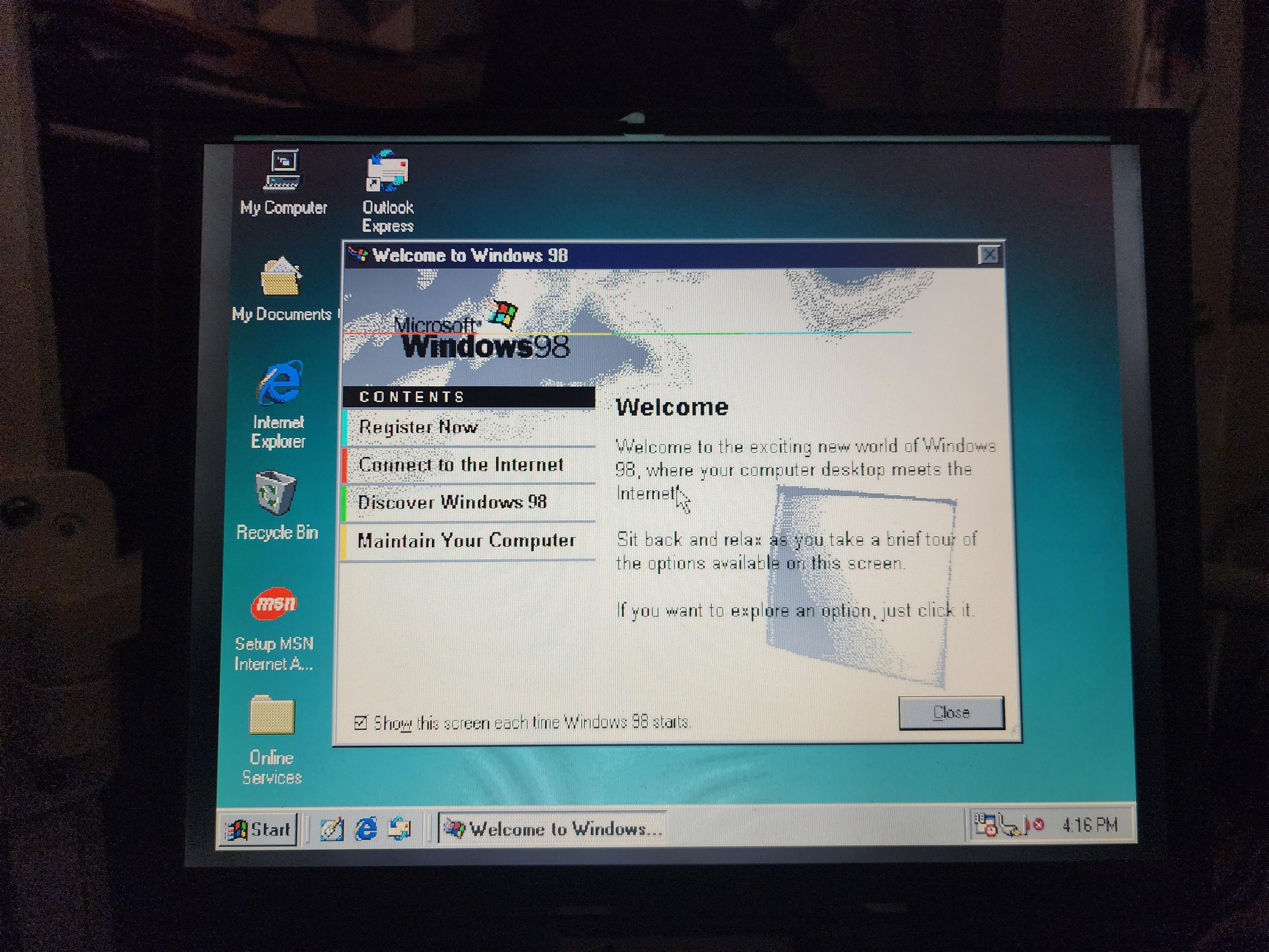
foone@digipres.clubnow to install drivers. place your bets on how many times I'll need to reboot.
my guess? 7.
1
0
0
Dan FitzGerald
d_j_fitzgerald@bitbang.social@foone I picked up a 35 year old at the dump yesterday! Gonna open it up tonight to see how bad its NiMh battery corrosion damaged things.
1
0
0
Dan FitzGerald
d_j_fitzgerald@bitbang.social@foone it's a PS/2 L40SX, and it looks to be in good condition. Floppy is probably toast though, it being a PS/2
1
0
0
Alice Averlong🏳️⚧️
foone@digipres.club@d_j_fitzgerald oh fun. yeah those floppies have bad caps, almost certainly
0
0
0
Alice Averlong🏳️⚧️
foone@digipres.clubvideo driver: rebooted
audio driver: no reboot
gameport driver: no reboot
monitor driver: immediate reboot? I don't think it even installed anything
1
0
0
Alice Averlong🏳️⚧️
foone@digipres.clubinstalled mouseware 8.21 for the touchpad
and we're rebooting
1
0
0
Alice Averlong🏳️⚧️
foone@digipres.clublooks like the answer was "three reboots"
now let's see if the USB port can handle a USB mass storage device
1
0
0
Alice Averlong🏳️⚧️
foone@digipres.clubwindows 98 rebooted and fails to boot now with a protection error
1
0
0
Alice Averlong🏳️⚧️
foone@digipres.clubit doesn't boot in safemode either. same error.
Let's try logged and check the bootlog?
1
0
0
Alice Averlong🏳️⚧️
foone@digipres.clubwell I still have the install files on here. I can just install windows 98... again
1
0
0
Alice Averlong🏳️⚧️
foone@digipres.clubor I could just manually delete the USB drivers I installed and suddenly it works
1
0
0
Alice Averlong🏳️⚧️
foone@digipres.clubcorrection: it works MORE. still won't boot, except now it hangs during boot instead of protection-erroing at me
1
0
0

Ra (Freyja) (it/its)𒀭𒈹𒍠𒊩 (cringe EU-brained military girl)
freya@highenergymagic.net@foone
You wrote: perhaps now safemode will work?
What I heard: perhaps now sappho mode will work?
1
0
0
Alice Averlong🏳️⚧️
foone@digipres.clubsafemode boots, but I'm not sure what driver is breaking it. No logs work.
1
0
0

Alice Averlong🏳️⚧️
foone@digipres.clubso bootlog.txt had nothing useful in it. I can boot to safemode but it doesn't really help, there's no drivers I can disable that seem to fix it.
fuck it.
C:\> DELTREE WINDOWS
C:\> CD WIN98
C:\> SETUP /IS /IE /IV
2
0
0

TerrorBite 🦁
TerrorBite@meow.social@foone aren't you doing this to try and get windows 3.1 onto it. If you're already at the point of copying windows 98 directly onto a CF card why not just do that with 3.1?
1
0
0
Alice Averlong🏳️⚧️
foone@digipres.club@drypaphmrbro no scandisk, no boot disk, no advertising banners during install
0
0
0
Alice Averlong🏳️⚧️
foone@digipres.club@TerrorBite I'm doing windows 98 instead, so that drivers will be easier. Win98 should work too for what I need
0
0
0